How I Built a Web Analytics Dashboard for Small-Business Websites
An implementation-based tour of Pierre Analytics: its browser tracker, Express API, PostgreSQL storage, React dashboard, measurement choices, and limits.
Engineering series
An implementation-led look at an analytics tool for small-business websites: what the code measures, how its parts connect, and where the evidence stops.
The project
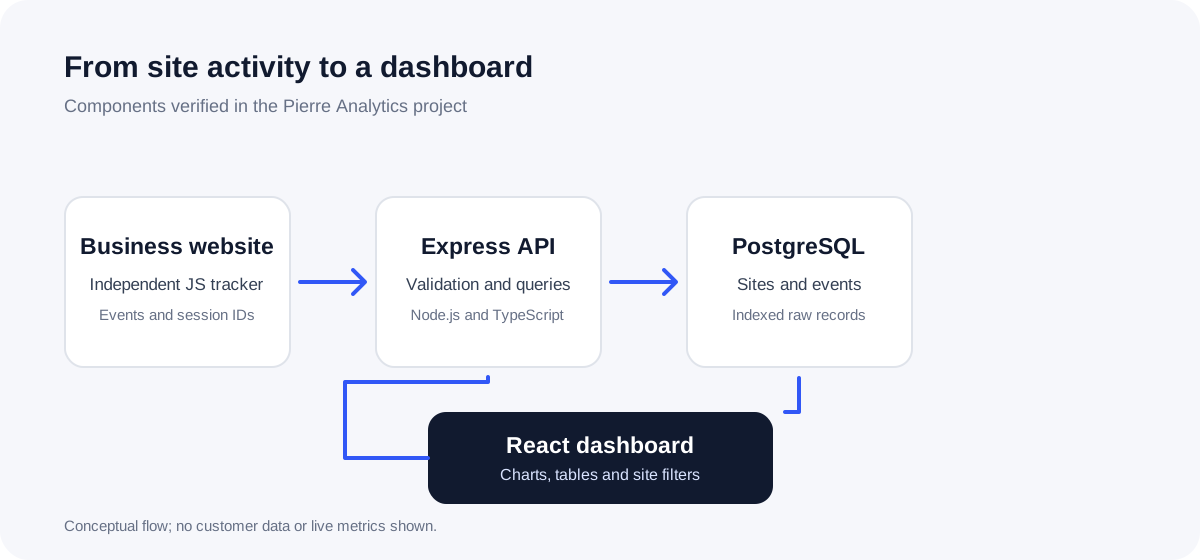
Pierre Analytics combines a browser tracker, an Express API, PostgreSQL storage and a React dashboard. These guides explain selected engineering decisions through the actual implementation and its local tests. They are educational accounts, not a product review or a claim about campaign performance.
The project documentation records local integration and build validation. Deployment on Hostinger is still a proposed workflow; these articles do not imply that production hosting was tested.
Visual walkthrough
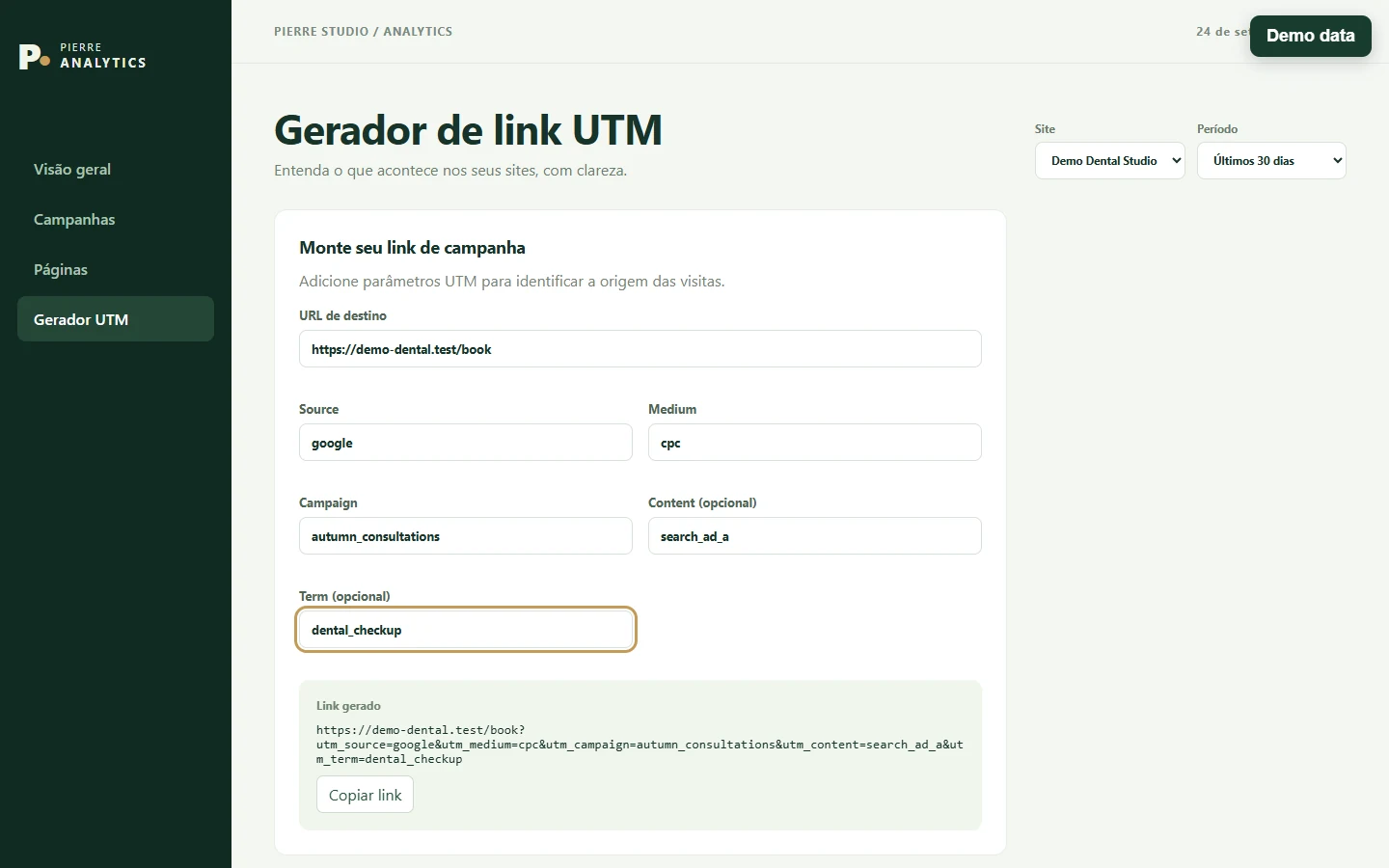
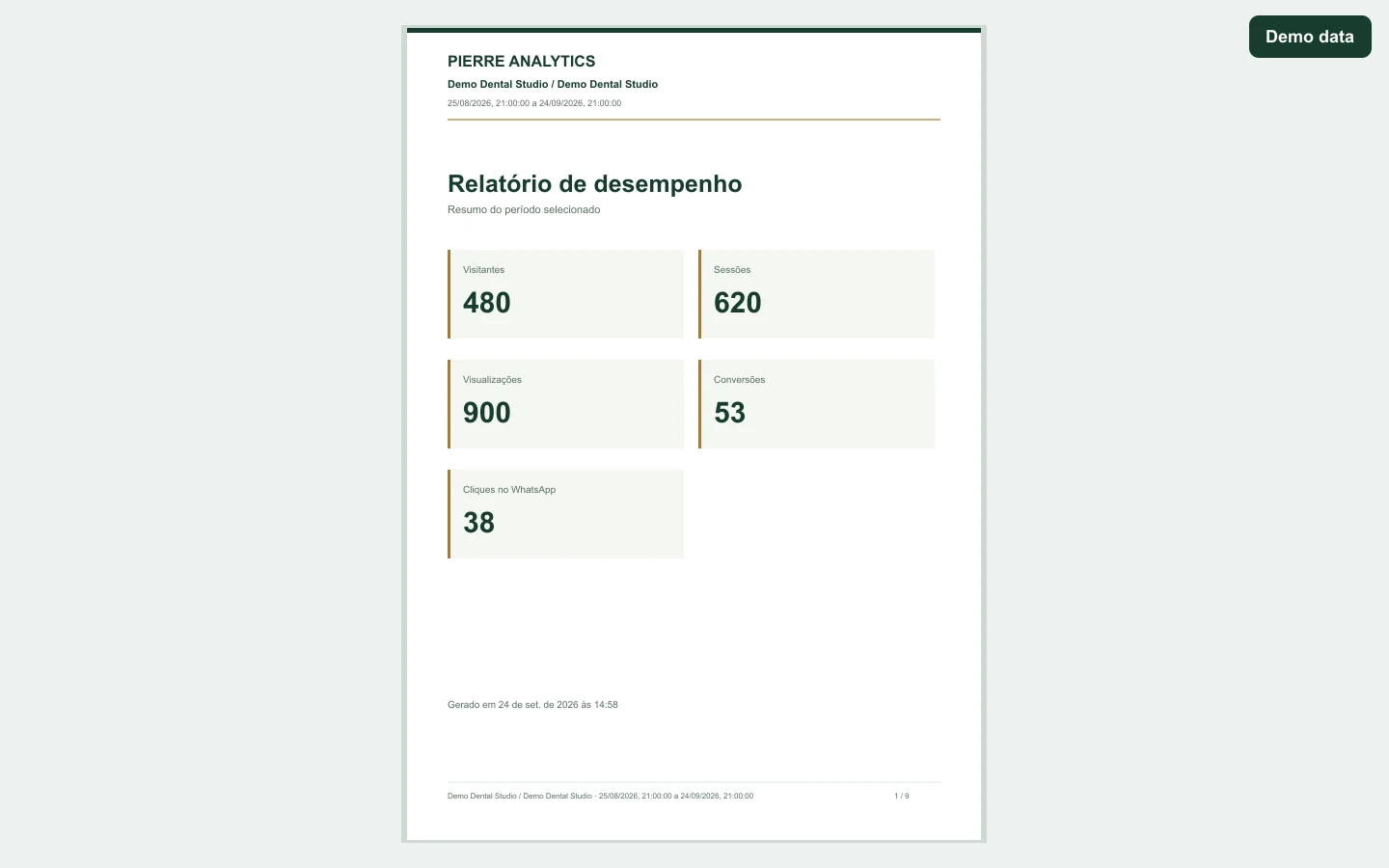
These captures use the compiled application with browser-intercepted API responses for Demo Dental Studio, a fictitious organization and site. Every number shown is demo data, not observed customer traffic.

Read the series
Start with the whole system, then examine the database connection and the metric definitions.
An implementation-based tour of Pierre Analytics: its browser tracker, Express API, PostgreSQL storage, React dashboard, measurement choices, and limits.
A real Node.js setup using the Supabase Session Pooler, a server-only PostgreSQL URL, certificate verification, and local connection checks.
A practical explanation of visitor IDs, 30-minute sessions and pageview events, using the real Pierre Analytics counting rules and their limitations.
The visual evidence above comes from an isolated browser mock. The diagram is drawn from the source architecture; the application captures show fictitious data only.